Cryptee, the Estonian encrypted documents and photo service, is one of the few tools that tries to replace both Google Docs and Google Photos in a single account without asking you to run a server. We went through its documentation, its own threat model, its help center, its source repository, and outside coverage to see how it holds up for two audiences: people who self-host, and people who are leaving Google. The short version is that it is a simple, good fit for the second group and a hard sell for the first. The encryption design is reasonable on paper and the company is unusually open about its limits, but there is no self-hosting, the backend is closed, and losing your encryption key means losing your data. This is a review based on published documentation and third-party coverage, not a long-term hands-on test.
What You Get
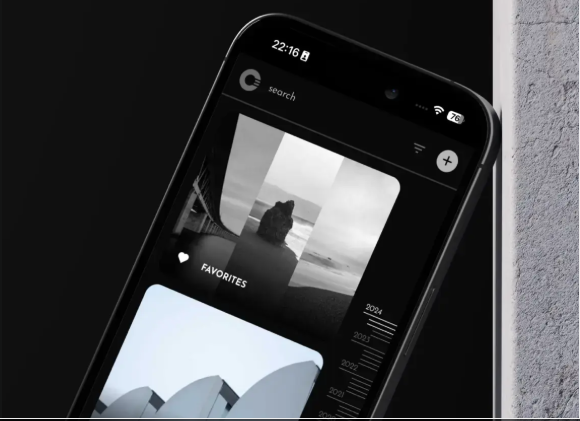
Cryptee was founded in 2017 by John Ozbay, launched in 2018 according to its FAQ, and is based in Estonia. Our listing names the company as Svartlab OÜ. Its documents editor covers the basics people expect from a Google Docs replacement: Markdown, KaTeX math, to-do lists, tables, code highlighting, attachments, PDF and EPUB viewing, and editing of DOCX files. Cryptee says documents sync live across an unlimited number of devices. Photos adds albums, tagging, video, and original-quality uploads, and the company's blog mentions support for ProRAW files. The help center also carries step-by-step import guides for Evernote, Bear, iCloud Notes, Google Photos, Amazon Photos, and iCloud Photos, which is the part degooglers will care about on day one.
Two design choices set it apart. You sign up with just a username, with no email address or phone number, and Cryptee's Ghost Folders and Ghost Albums let you hide a folder so that it only reappears if someone types its exact name. The company built that for people who could be forced to unlock their account, such as someone in an abusive relationship or crossing a hostile checkpoint. It also supports multi-factor authentication, according to its help center.
Pricing is subscription only. The free plan gives 100 MB, and paid plans start at about 3 euros a month for 10 GB and rise to 27 euros a month for 2 TB, according to Cryptee's pages and third-party listings, so check the current plans before you commit. Cryptee says openly that it is not the cheapest option and ties the price to European hosting and labor standards. It also says it has never taken venture capital and runs entirely on subscriptions, a claim we have no way to verify.
The Encryption, and What You Still Have to Trust
According to Cryptee's security page, files are encrypted on your device with AES-256 using either the open source OpenPGP.js library or algorithms built into your browser, and file names are hidden from the server along with the contents. Your login password and your encryption key are separate. The key can be remembered on a specific device, which Cryptee itself does not recommend.
The client apps are open source under the MIT license on GitHub, and the repository was updated in August 2026. The backend is not open. Cryptee gives two reasons: publishing it would expose the abuse-prevention systems that a small company needs, and nobody can verify the server code that is actually running anyway, which is why the encryption happens in the client. The second argument is fair as far as it goes. It leaves one gap, which Cryptee's own threat model names as the most relevant attack against the service itself: if someone took over its servers and quietly changed the code it serves, that code could capture your key. Cryptee says it watches its public code for changes from independent monitors, and that installed copies of the web app check release hashes and refuse unreported updates. It rates a successful attack as very unlikely. That is a candid answer, and it is the same limitation every browser-delivered encrypted service has. A native app you install and verify once would avoid it, but Cryptee runs as a web app you can pin to a home screen.
We did not find a published third-party security audit in the sources we reviewed. The company's pitch is that the open client lets anyone check its claims, which is true only if someone does. Cryptee also says plainly that it would not recommend itself for life-and-death situations or for taking on an intelligence agency head-on, and that it cannot protect a device that already has malware on it.
Where It Falls Short for Self-Hosters and Degooglers
For self-hosters the main problem is simple: you cannot self-host it. Cryptee's FAQ says the backend is not available for others to run, and that opening it up is not sustainable for a company of its size right now. It also rules out a third-party API entirely, because that would force users to hand their keys to outside developers. You are renting from one small company, however good its intentions.
For everyone, the sharpest edge is the key. Cryptee's account page says that if you forget your encryption key there is no recovery and all your data stays inaccessible. It also says you cannot export your data without the key, since the server cannot unpack encrypted files for you. Treat the key like a password manager entry, such as one in Bitwarden, and keep a backup.
Other gaps depend on how you use Google today. The sources we reviewed describe sharing for photo albums but not real-time multi-user document editing, so it will not replace shared Google Docs. Cryptee is a web app rather than something you install from the app stores, and its help center has a topic on why it does not work with iOS Lockdown Mode, which matters for exactly the high-risk users it courts. Outside reviews also describe its photo organization and sharing as basic compared with Google Photos.
How It Compares With Other Tools on Our Site
If you want to self-host, the closest matches in our directory are Hoodik, a lightweight self-hosted storage server with browser-side encryption and encrypted notes, and Nextcloud, which lists optional end-to-end encryption. For shared editing, AFFiNE lists real-time collaboration and self-hosting. On photos, Immich is the self-hosted pick with face recognition, while Ente Photos is an end-to-end encrypted photo service with iOS and Android apps. For notes alone, Standard Notes, Notesnook, and Joplin all list end-to-end encryption, and for plain files, Proton Drive and Cryptomator cover the ground. What we could not find in those listings is the same combination of documents, photos, and files in one account, with username-only signup and Ghost Folders.
Who Should Use It
Cryptee makes sense if you want a private, hosted home for notes, documents, and photos with no setup, you value deniability or anonymous signup, and you accept a closed backend and a web app delivery model. It makes less sense if you want to self-host, need shared editing, depend on native apps, require an independently audited stack, or face a threat where a compromised server could cost you a lot. For most degooglers it is a reasonable first step. For self-hosters it is a hosted service with an open front end and a closed back end, nothing more.
Sources
- Cryptee, Frequently Asked Questions, accessed October 5, 2026: crypt.ee/faq
- Cryptee, Security Details, accessed October 5, 2026: crypt.ee/security
- Cryptee, Threat Model, accessed October 5, 2026: crypt.ee/threat-model
- Cryptee, Help center, accessed October 5, 2026: crypt.ee/help
- Cryptee, account and encryption key page, accessed October 5, 2026: crypt.ee/account
- Cryptee, use case page for documents and photo storage, accessed October 5, 2026: crypt.ee
- Cryptee on GitHub, web-client repository: github.com/cryptee
- Cryptee Blog, product news: blog.crypt.ee
- Viallo, Best Cloud Storage for Photos in 2026: viallo.app
- Reclaim The Net, Cryptee tool listing: reclaimthenet.org
- Wikipedia, Cryptee: en.wikipedia.org
This article was written by DigitalEscapeTools based on Cryptee's published documentation, third-party coverage, the tool listings on this site, and publicly available information at the time of publication.